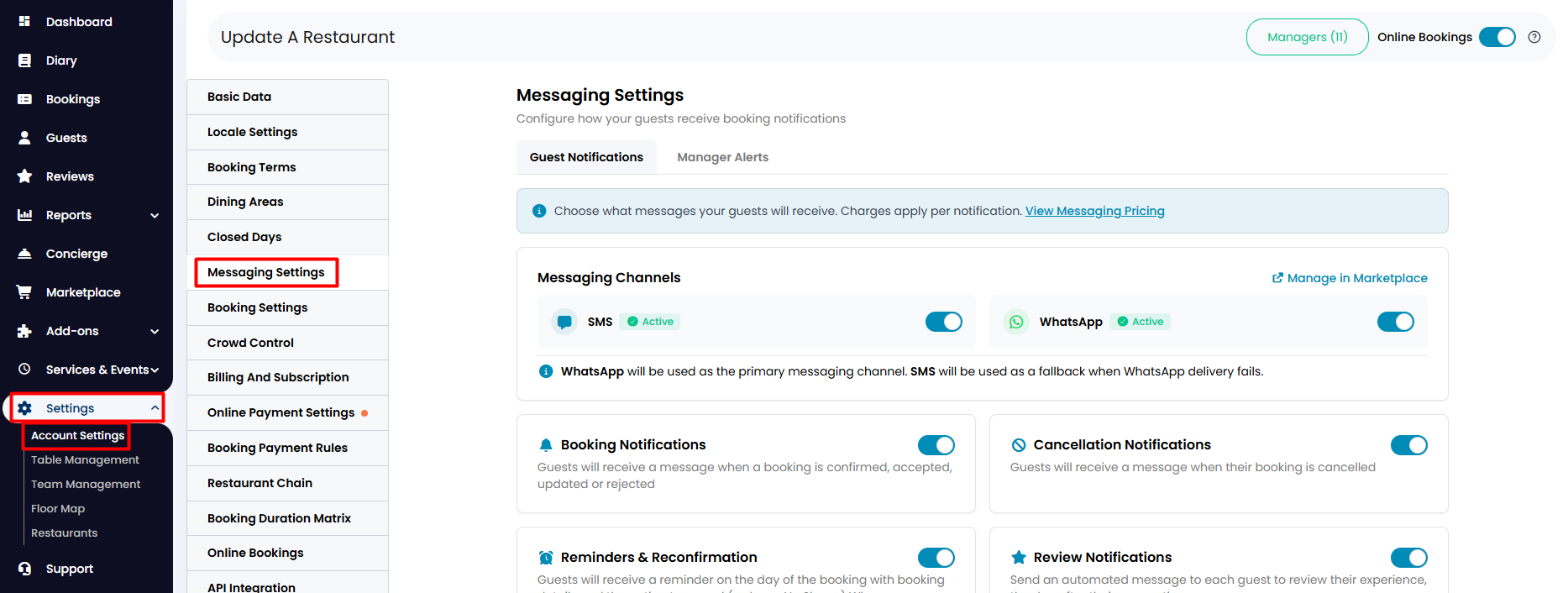
1. From your side menu, go to Settings > Account Settings > Messaging Settings.
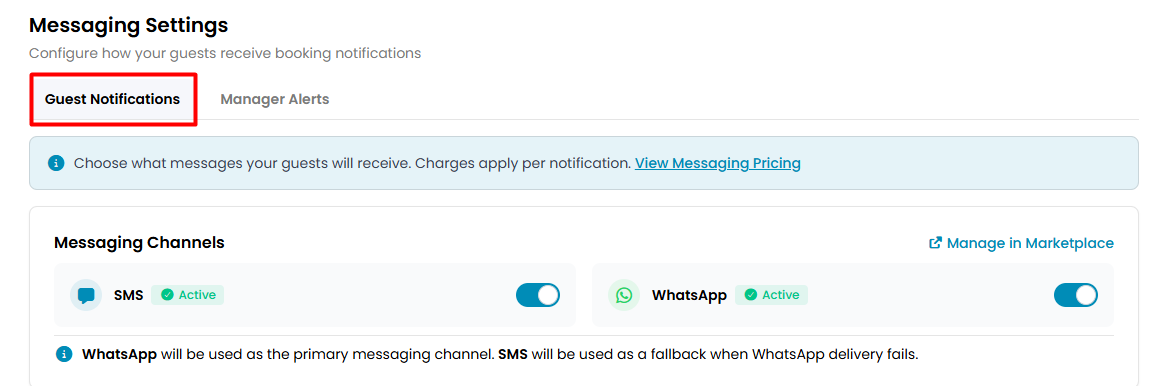
2. On the Guest Notification tab, you can activate whichever channel you want your guests to receive notifications from (fees may apply; view Messaging Pricing).
3. You can also choose what type of notifications you would like your guests to receive by enabling or disabling different options below.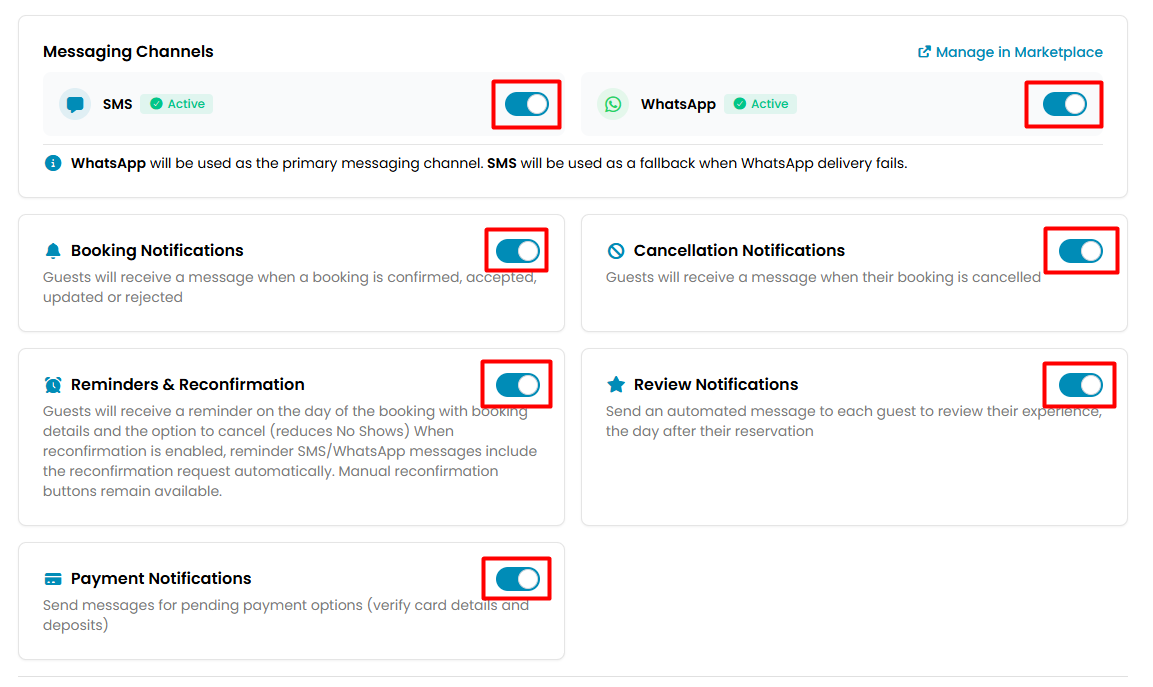
4. Additional settings can be found below to customise further details.
5. Click on Update at the bottom of the page.
While we strive to ensure the accuracy and currency of the information in our knowledgebase, some articles may contain minor discrepancies due to the constant evolution of our services and products.
Was this article helpful?
That’s Great!
Thank you for your feedback
Sorry! We couldn't be helpful
Thank you for your feedback
Feedback sent
We appreciate your effort and will try to fix the article