First, make sure your payments are activated. You can follow the steps on how to set up your Stripe account at this link. Once that is correctly set up, then:
1. From the side menu, go to Settings > Account Settings > Booking Payment Rules.
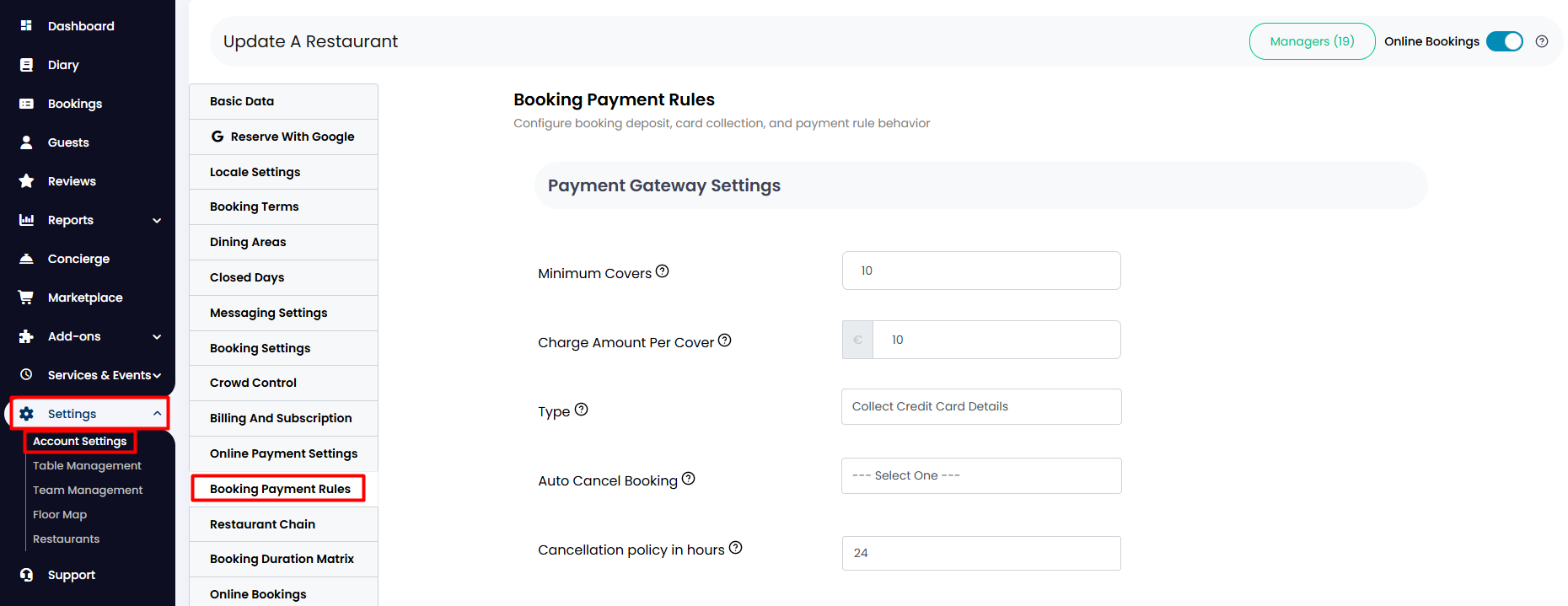
2. Enter the information to configure your payment specifications.
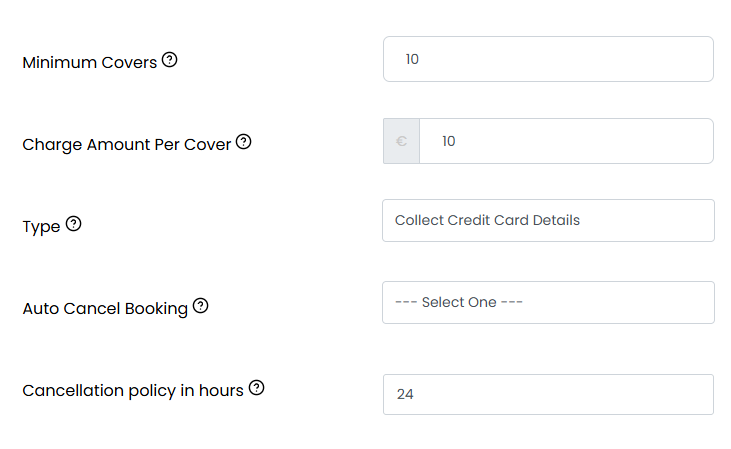
- Minimum covers: The minimum number of covers from which a deposit or credit card details will be requested when placing a booking.
- Charge Amount Per Cover: The amount that is going to be charged per person.
- Type: Choose whether you prefer to collect credit card details from your guest or to take a deposit straight away.
- Auto Cancel Booking: Amount of time that guests have to complete the checkout process before the booking gets automatically cancelled.
- Cancellation policy in hours: The minimum number of hours before the booking that guests can cancel without penalty.
Note: Please bear in mind that if guests cancel after this period, the penalty will not be collected automatically by the system. It needs to be actioned manually. You can find a guide on how to do so at this link.
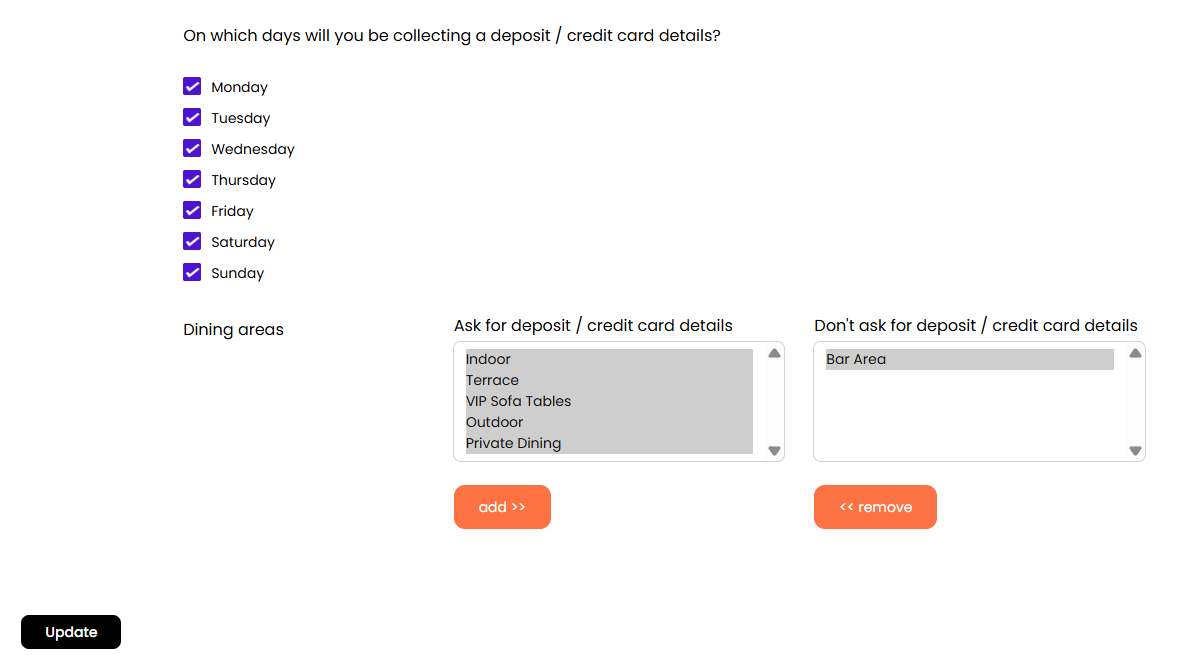
3. Scroll down and choose on which days you would like this policy to apply, and in which dining areas. Once you are finished, click on the Update button below.
While we strive to ensure the accuracy and currency of the information in our knowledge base, some articles may contain minor discrepancies due to the constant evolution of our services and products.
Was this article helpful?
That’s Great!
Thank you for your feedback
Sorry! We couldn't be helpful
Thank you for your feedback
Feedback sent
We appreciate your effort and will try to fix the article