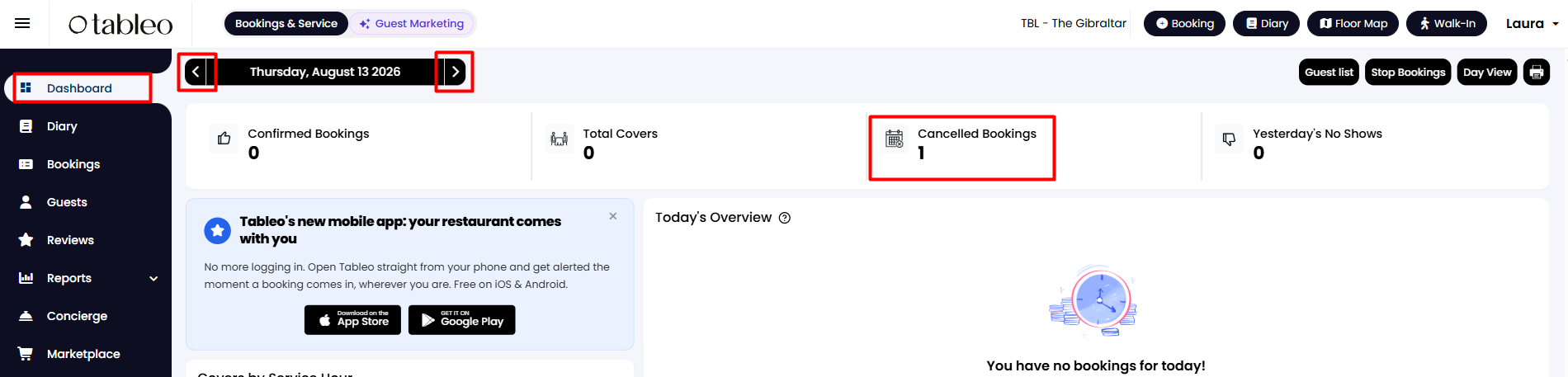
1. From your side menu, go to your Dashboard.
2. Choose the desired date using the '<' and '>' arrow buttons on the top left.
3. Click on 'Cancelled Bookings' to see the cancelled bookings for the chosen date as a list of details.
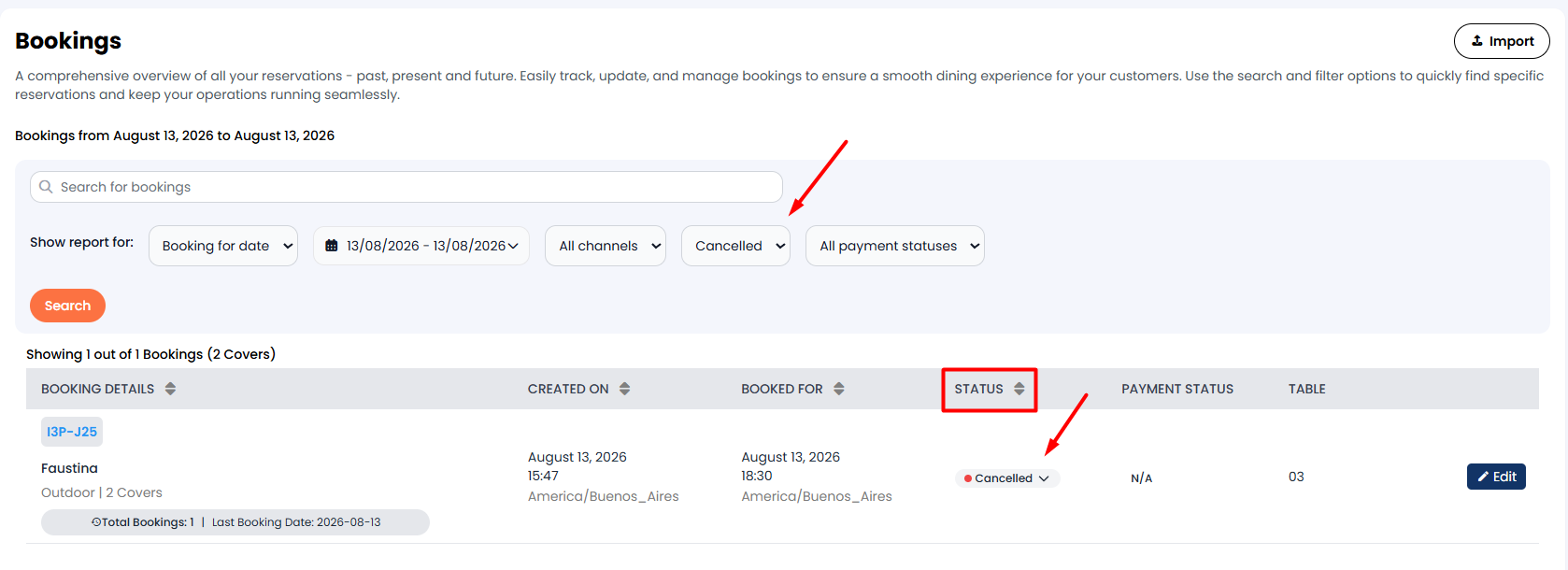
4. This will take you to the Bookings section, where you can see a list, already filtered by the cancellations for the selected date.
Alternatively:
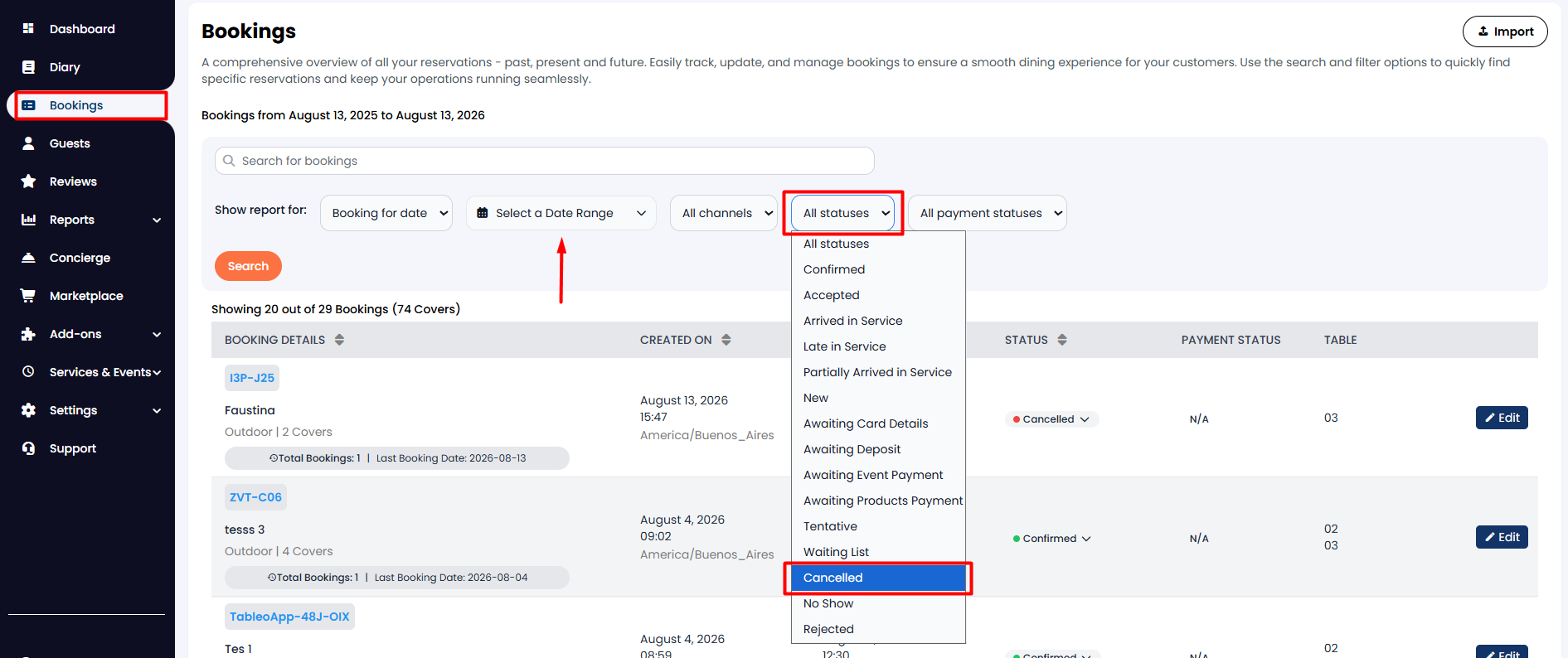
1. From the side menu on the left, click on Bookings.
2. Select the wanted date or date range and then choose Cancelled from the filter options. When finished, click the Search button.
While we strive to ensure the accuracy and currency of the information in our knowledgebase, some articles may contain minor discrepancies due to the constant evolution of our services and products.
Was this article helpful?
That’s Great!
Thank you for your feedback
Sorry! We couldn't be helpful
Thank you for your feedback
Feedback sent
We appreciate your effort and will try to fix the article